Survival Log Stockpile Planner
Turn priority tiers into a checklist you can update after every shopping day.
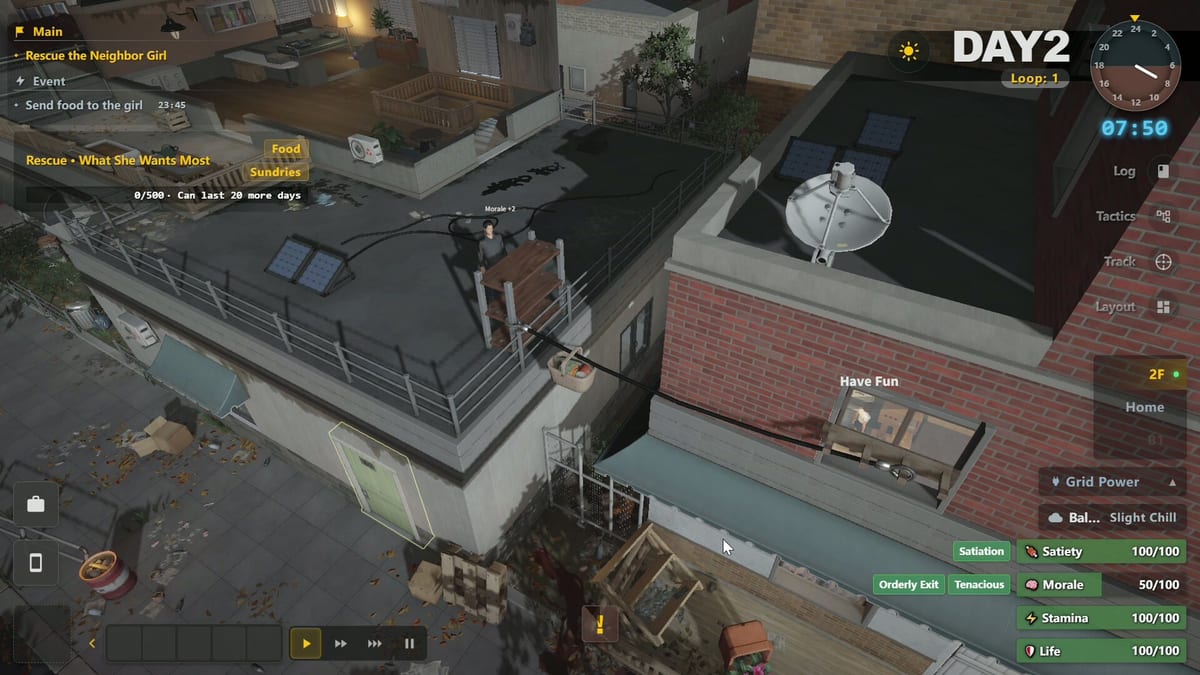
The Stockpile Planner tool helps Survival Log players externalize memory. Use it beside the live Steam demo so shelves stop lying to you. This page explains how to use the interactive planner with wiki priority tiers and when to ignore it during emergencies.
What the planner is for
It is for gap detection across water, calories, fuel, fortify materials, storage furniture, and later farming inputs. It is not a substitute for judgment in How to Defend when doors are breaking now.
How to run a session
- Skim Priority Checklist.
- Mark what is real versus theatrical.
- Use the planner mid-page below.
- Write tomorrow’s shopping thesis into Day Planner.
- Execute with routes from City Locations.
Interactive planner
Update categories after each return home. If fuel looks fine but basement paths are blocked, fix layout with Floor Layout before trusting the checkbox.
Mark what you already secured. Gaps turn amber so your last supermarket sprint has a clear list.
Food & water
Power & fuel
Shelter kit
Living systems
After you adjust the planner, re-read Food and Water or Fuel and Power Gear for the first red category only. Depth beats dabbling.
Pairing with guides
Use How to Stockpile for buy-order coaching and Getting Started if you are still forming habits. Power gaps should bounce you to How to Manage Power and Power Grid.
Role tips
Worker may clear physical restocks faster. College Student should keep planner lists shorter per day. Warehouse clerk energy is this tool’s spirit animal.
When to close the tool
Close it during active breaches, blackouts, or rescue crises. Stabilize with Basement Generator or boarding pages, then return. Tools serve calm minutes.
Demo hygiene
Take a screenshot or notes if you need persistence across sessions. Treat planner state as ephemeral unless you copy it. Re-validate categories after Demo Update patches before the 2026-08-12 launch.
Common misuse
- Checking everything green because vibes
- Tracking decor before water
- Planning five store stops for one day
- Ignoring carry risk from Exploration Risk
Used honestly, the Stockpile Planner turns Stockpile Hub theory into daily accountability.
Takeaway for Stockpile Planner Tool
Before you close this tools page (tools/stockpile-planner), write one Steam-demo action that only this article justifies. Spend Planning Points on that action alone, then score dusk by meters and doors. If Midnight Workshop or Lilith Games patch the related system, re-open this URL first — not a random sibling — so the lesson stays attached to Stockpile Planner Tool instead of dissolving into generic prep advice.
Depth pass for Stockpile Planner Tool
Players open Stockpile Planner Tool when a specific failure shows up in the Steam demo — not when they want another generic pep talk. Name the failure in one sentence tied to tools/stockpile-planner: empty water, dark fridge, broken door, late dusk return, or a Planning Points day with no thesis. Midnight Workshop and Lilith Games will keep tuning the tools layer toward the 2026-08-12 release; your job is to re-test the same failure after each patch instead of hopping guides. Use sibling hubs only after you can describe what this page already asked you to do. If you cannot, reread the sections above and run a half-day lab before spending a full Planning Points budget.
Session card: tools/stockpile-planner
- Write the Stockpile Planner Tool outcome before unpause.
- Protect Tier 0 water and calorie buffers even when this page tempts a specialty chore.
- Keep one path clear for traps and boarding even while rearranging storage.
- At dusk, score meters and door integrity, then decide whether tools/stockpile-planner needs a second lab day.
- Bookmark Demo Update if a patch touched the systems named here.
Why Stockpile Planner Tool is not interchangeable
Other wiki pages can mention the same nouns — safehouse, power, stockpile — yet Stockpile Planner Tool owns a different decision order. Stealing a thesis from a sibling page mid-day is how quiet runs die. Stay inside this article’s order until the demo proves the failure mode is gone. Then graduate to a linked guide with a new thesis, not a pile of half-finished chores. That discipline travels from the live demo into the full Survival Log release window without depending on spoilers.
Final check for Stockpile Planner Tool (tools/stockpile-planner): if today’s note does not mention a concrete tools action, you skimmed instead of practiced.
Frequently Asked Questions
Quick answers to the most common survivor questions.
Does the planner save automatically forever?
Treat it as a page helper. Copy critical notes if you need long-term persistence.
What should I mark first?
Water, food, boards, and fuel. Decor last.
Can I use it mid-outing?
Better at home before and after trips so you are not fiddling in the street.
Which guide pairs best?
How to Stockpile and Priority Checklist.
Why is the component mid-article?
So you read context, interact, then continue with linked next steps.