Survival Log Controls Hub
Build muscle memory so Planning Points go to decisions, not fumbling.
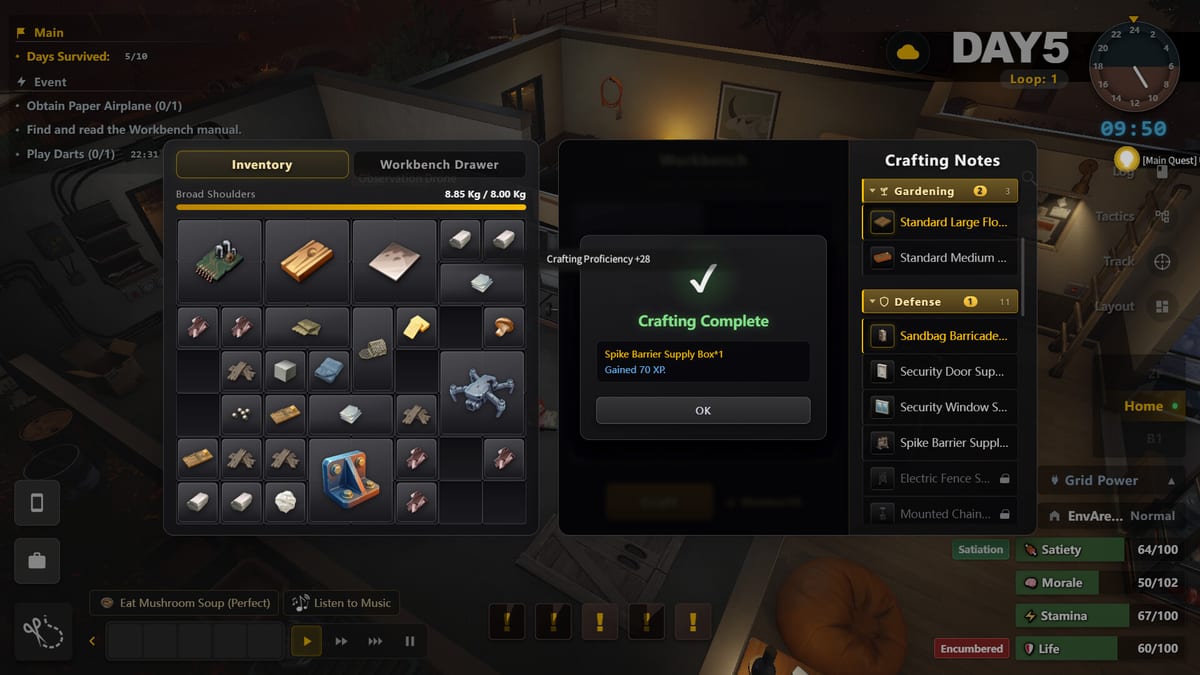
The Controls Hub exists so Survival Log’s menus and movement stop stealing brainpower from stockpile decisions. This is a single-player Steam sim from Midnight Workshop and Lilith Games, and the players who look “good” in the demo are often just faster at interacting with shelves, appliances, and doors.
Learn interaction priority
Practice opening containers, confirming transfers, and leaving rooms without spinning the camera. Your goal is a clean loop: enter, take what the Priority Checklist named, leave with stamina to spare. Getting Started assumes you can already do this without narrating every key.
Inventory as a control skill
Heavy loads change how exploration feels. Treat inventory cleanup as part of controls mastery. Stack with intent before you exit a shop so How to Explore routes stay on time. Warehouse clerk style thinking from Roles Comparison is partly an inventory discipline.
Safehouse interaction loops
Building, boarding, farming, and generator checks are control sequences you will repeat for hours. Read Floor Layout and Basement Generator with your hands on the keyboard so camera angles and interaction prompts become boring. Boredom means readiness.
Combat and panic inputs
When zombies pressure doors, slow inputs cause breaches. Rehearse the order: check trap lines, confirm boards, avoid wasting stamina on useless swings. How to Defend and Traps matter more when you can execute them quickly.
Accessibility and session comfort
Sit so you can play long planning sessions without fatigue. Survival Log rewards journaling-like attention. If menus frustrate you, shorten sessions but keep notes in the Day Planner workflow so progress compounds.
Demo drill
Spend ten real minutes in the demo touching only controls and inventory, buying nothing optional. Then start a normal run. Players who skip this drill mis-click under stress and blame the systems pages instead of their hands.
Speed is safety
Faster clean inventory actions mean fewer minutes exposed in doorways and shops. Practice transferring only what the thesis named. Mis-clicks are not comic relief when dusk is near. Rebind only after you understand default prompts, and keep a written note of changes so panic does not send you into the wrong menu.
Camera discipline
Learn the angles for basement generator checks and window boards so you are not fighting the camera during noise. Controls mastery includes knowing when to stop spinning and commit. If you get lost in menus while a threat tests a door, your practice plan failed—return to short drills.
Session setup
Before long planning sessions, clear desk clutter, set UI scale, and decide whether a second screen will hold Day Planner. Controls problems are often environment problems. Fix the chair and the windows before blaming the game for slow hands.
Hotkeys child page
Open Hotkeys for Settings-first binds, map/cooking/exploration tutorial completion, and interaction priority habits. This hub stays philosophy; the child page is the checklist process without inventing fake default keys.
Frequently Asked Questions
Quick answers to the most common survivor questions.
Does this wiki list every default key?
It focuses on habits and interaction order. Always confirm the current build's keybind screen in the Steam demo or release client.
Why are controls on a content hub?
Because execution speed changes Planning Points efficiency as much as theory guides do.
Any tip for laptop players?
Stabilize frame pacing and UI scale early so drag-heavy inventory work does not cause mis-clicks during risky trips.
What should I practice first?
Loot transfer speed and safehouse interaction prompts before combat drills.